What Is a Payroll Cutoff Date? (And Why It Affects Your First Paycheck)
⚡ What is a payroll cutoff date? — quick answer
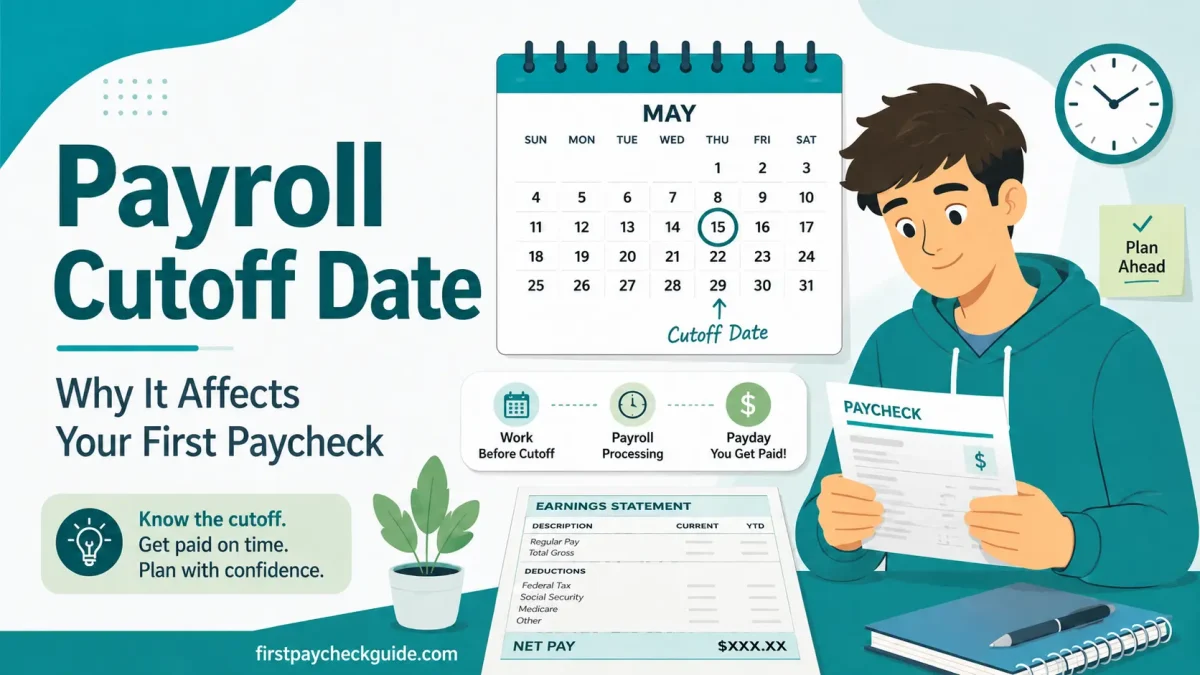
A payroll cutoff date is the deadline for submitting or approving hours, overtime, and other pay information for an upcoming payroll run. Information not processed by the cutoff may appear on a later paycheck or require a correction. For new workers, the relationship between your start date, pay period, and payroll cutoff explains why a first paycheck may cover fewer days than expected.
- What it is — the deadline for submitting and approving hours and pay data for the current payroll run.
- Why it exists — employers need 2–4 days to calculate taxes, process deductions, and transfer funds before payday.
- What it means for you — your first check may be delayed or partial if your start date falls in a later pay period or your hours are not approved before the cutoff.
- How to find yours — ask HR on your first day or check your employee portal for the payroll calendar.
You started your new job on a Monday. Payday is the following Friday. You expected to get paid for the week, but your paycheck either did not arrive or came out much smaller than expected.
The reason often comes down to your pay period, your payroll cutoff date, or both working together.
Every employer runs payroll on a schedule with deadlines for submitting and approving pay information. If you start partway through a pay period, your first paycheck may cover only a few days. If your hours or new-hire information are not processed before the payroll cutoff, those wages may appear on a later paycheck or through a correction. Your first week of work might not show up until the second paycheck at all.
If your first payment is issued by paper check because direct deposit was not ready in time, our paycheck-cashing guide explains where to cash it and what ID or fees to expect.
That same timing applies when your first hours are orientation or required training. Our orientation and training pay guide explains when those hours generally count as paid work; the payroll cutoff determines which paycheck is likely to contain them.
This is not your employer withholding your pay. It is just how payroll timing works. Understanding the payroll cutoff date is the single fastest way to make sense of your first paycheck situation.
Two things that are not the same
Starting after a pay period ends means your hours belong to the next pay period and appear on that period’s scheduled payday.
Missing a payroll cutoff means your hours were in the current pay period but payroll information was not processed in time. Payment may be delayed to the next check or handled through a correction.
Both can make your first paycheck smaller or later than expected. They have different causes and different solutions.
Table of Contents
What is a payroll cutoff date?
A payroll cutoff date is the deadline for submitting and approving hours worked, overtime, expenses, and other pay-related information before an employer runs payroll. Once the cutoff passes, payroll data is locked and processed. Hours or changes that did not make it through before the cutoff may appear on the next regular paycheck or be handled through a payroll correction, depending on company procedures.
A simple real-world example
Your employer pays biweekly. The pay period ends Sunday. Managers approve timesheets by Monday. Payday is Friday.
You started on Tuesday, after the previous pay period already ended. Your Tuesday hours belong to the new pay period and are normally paid on the following scheduled payday two weeks later.
Now a different scenario: you worked during the pay period but your timesheet was not approved by Monday’s cutoff. Those hours may require a correction or appear on the next regular paycheck, depending on your employer’s process and applicable wage-payment rules.
Key distinction: The pay period determines when wages were earned. The cutoff determines whether payroll information was processed in time.
Cutoff date vs. pay date — not the same thing
These two dates are always different. The cutoff date is when payroll data is locked. The pay date is when money hits your account. The gap is usually 2–4 business days. That is the time payroll needs to calculate taxes, process deductions, and transfer funds to the bank.
Why do employers have payroll cutoff dates?
Payroll is not instant. Between locking your hours and money hitting your bank account, your employer’s payroll system needs to:
- All timesheets finalized and approved. Hours locked. No more changes accepted for this pay cycle.
- Payroll software calculates gross pay, applies FICA taxes, federal and state income tax withholding, benefits deductions, and 401(k) contributions for every employee.
- Direct deposit files are sent to the bank via ACH transfer. Banks typically need 1–2 business days to process and post funds to employee accounts.
- Money appears in your account. Pay stubs are available in the employee portal.
Why the gap between cutoff and payday varies
Small employers using basic payroll software may have a 2-day gap. Large employers with complex multi-state payroll may need 4–5 days. Employers using paper checks instead of direct deposit need extra time for printing and mailing. The cutoff date exists to make all of this possible.
Pay Period vs Payroll Cutoff Date vs Pay Date: What Is the Difference?
You may see these terms in your payroll calendar, employee handbook, or onboarding documents. They mean different things and happen on different days. The pay period determines when wages were earned. The cutoff determines when payroll information must be ready. Because a biweekly pay period repeats every 14 days instead of twice a month, it periodically lines up two paydays inside the same calendar month — which is exactly how three-paycheck months happen.
| Term | What it means | Example (biweekly) |
|---|---|---|
| Pay period | The range of dates your paycheck covers; the actual days you worked | May 1 – May 14 |
| Payroll cutoff date | The deadline for submitting hours. After this point, data is locked for processing. | Monday of Week 3 |
| Pay date | The official payday; the date shown on your pay stub | Friday of Week 3 |
| Direct deposit arrival | When money hits your bank account. On or around the pay date. Some banks release funds 1–2 days early as a bank feature, not a guarantee. | Wednesday/Thursday of Week 3 (if offered by bank) |
| Pay period end date | The last day of the work cycle. May or may not be the same as the cutoff date. | Sunday of Week 2 |
Why direct deposit arrives before the pay date
Your employer schedules direct deposit for the official pay date. Some banks and credit unions offer early access to incoming payroll deposits, typically 1–2 days before the official date. This is a bank feature and is not guaranteed. If your bank does not offer early access, expect funds on the official pay date.
How the payroll cutoff date affects your first paycheck
The cutoff date explains four of the most common first-paycheck surprises:
Surprise 1: First paycheck is smaller than expected
You started partway through the pay period. Your first paycheck covers only the days from your start date through the end of that pay period. Because it is a partial-period check, it is smaller than a normal paycheck.
Surprise 2: First paycheck seems missing
You started after the previous pay period had ended and its payroll was already being processed. Your first hours belong to the new pay period, which may not be paid until the following scheduled payday. Confirm the expected pay date with HR. Employers must comply with applicable state wage-payment deadlines.
Surprise 3: Second paycheck is much larger
Your first paycheck covered a partial period. Your second paycheck covers a full period and includes the days that spilled over from your start date. The jump in pay is not a bonus. It is the normal full-period amount.
Surprise 4: Overtime from last week is not in this paycheck
You worked overtime in the final days of a pay period, but those hours were submitted after the cutoff. They appear on the next check. Always submit timesheets before the cutoff. Once a payroll run is closed, late hours may be paid in the next regular paycheck or handled through a separate correction, not added to the closed cycle.
Real calendar example — biweekly payroll
Pay period: Week 1 Monday through Week 2 Sunday
Timesheet deadline: Week 2 Sunday at 11:59 PM
Manager approval deadline (cutoff): Week 3 Monday
Payday: Week 3 Friday
You started: Week 2 Thursday
Result: If your hours from Thursday through Sunday were submitted and approved before the Monday cutoff, they appear on the Week 3 Friday paycheck. Your next paycheck covers the full two-week period.
If you started Week 3 Tuesday instead, after the cutoff, all your hours belong to the following pay cycle and appear on the paycheck two weeks later.
Will my hours be in this paycheck? — quick decision checklist
✅ Check these in order:
- Which pay period do the hours belong to? Check the pay period start and end dates. Hours worked belong to the period in which they were earned.
- Were the hours recorded correctly? Compare your timecard against your own shift records.
- Was your timesheet submitted on time? Late employee submission can delay processing even if the hours were earned in the current pay period.
- Did your manager approve it before the payroll cutoff? A pending approval can also delay payment.
- Was your new-hire paperwork complete? Missing direct deposit, identity verification, or payroll information can affect how the first payment is issued.
- Hours still missing on payday? Contact payroll promptly. Ask when and how the correction will be processed.
Payroll cutoff dates by pay schedule
The timing of the cutoff depends on how often your employer runs payroll. The examples below are illustrative. Always check your employer’s payroll calendar for exact dates.
| Pay frequency | Pay periods per year | Typical cutoff timing (illustrative — your employer may differ) | Days between cutoff and payday |
|---|---|---|---|
| Weekly | 52 | Period ends on a weekend; approval early the following week; payday later that week | Varies by employer |
| Biweekly | 26 | Two-week period ends; timesheet and approval follow; payday several days later | Varies by employer |
| Semi-monthly | 24 | Two fixed paydays each month with employer-specific cutoff dates | Varies by employer |
| Monthly | 12 | One monthly pay period with a company-specific processing deadline | Varies by employer |
The gap between the cutoff and payday can range from one business day to more than a week. There is no universal schedule. Ask your employer for their specific payroll calendar.
Payroll cutoff dates matter even more at large employers with different roles and pay systems. For example, a new FedEx worker’s first check can depend on the start date, pay period close, direct deposit setup, and whether the role is direct FedEx or contractor-based. See the FedEx first paycheck guide for a real employer example.
Costco is another useful real-world example because a new hire’s first check depends on where the start date lands within the reported biweekly cycle. The Costco first paycheck guide shows how the reported pay period, Friday payday, and ESS pay-stub timing work together.
Home Depot shows the same payroll-cutoff principle in a large retail setting. The Home Depot first paycheck guide explains how the reported biweekly cycle, start date, payslip, and direct-deposit setup affect the timing and size of a new associate’s first check.
Semi-monthly payroll explained
Some employers use the 10th and 25th as paydays; others use those dates as timesheet or processing deadlines. There is no universal meaning. If they are paydays, the employer sets an internal deadline for submitting and approving payroll information before each date. Check your payroll calendar rather than assuming the cutoff falls exactly two days earlier.
⚠️ What happens when the cutoff falls on a weekend or holiday?
When a payroll cutoff date falls on a Saturday, Sunday, or federal holiday, many employers move it earlier to the preceding business day. If the cutoff is normally Monday and Monday is Memorial Day, the cutoff moves to Friday. This can catch new workers off guard. The cutoff arrives a day or two earlier than expected. Always check with HR around holidays to avoid missing the window.
Not sure what pay period type your employer uses? Read: What Is a Pay Period? →
How to find your payroll cutoff date
Most employers do not announce the cutoff date during onboarding. It is easy to find if you know where to look:
✅ 5 ways to find your payroll cutoff date
- Ask HR directly on your first day. Say: “What is the payroll cutoff date and when is my first expected payday?” Most HR teams answer this on the spot.
- Check your employee portal. Many employers post the payroll calendar in the HR system or employee self-service portal.
- Check your employee portal or payroll calendar. Look for terms like “timesheet deadline,” “manager approval deadline,” or “payroll close.” Your pay stub confirms the pay period and payday but may not show the actual cutoff date.
- Ask a coworker. Anyone who has worked there a few months knows the cutoff schedule.
- Check your offer letter or employee handbook. Some employers include payroll schedule information in onboarding documents.
The most useful question to ask HR on day one
“What pay period am I currently in, when does it end, and when will I receive my first paycheck?” This single question gives you the pay period end date, the cutoff date, and the expected first pay date. That is everything you need to plan your budget for the first month.
Use the calculator to find your exact expected first pay date: When Will I Get My First Paycheck? →
What to do if your hours miss the payroll cutoff date
Missing the cutoff does not mean your hours are lost. They move to the next pay cycle. Here is what to do:
- Submit your timesheet before the cutoff every single period. Ask HR for the exact day and time
- If you missed it, confirm with HR that your hours will appear on the next paycheck
- Keep your own record of hours worked so you can verify your pay stub when it arrives
- Salary is usually processed automatically. You typically do not need to submit timesheets
- If you started mid-period, your first check may be prorated based on days worked after your start date
- Review the pay stub to see how the partial salary was calculated. If unclear, ask payroll which proration method the employer uses
- Contact HR. Payroll corrections are easiest within one or two pay cycles of the error
- Bring your own hour records to the conversation
- Ask for written confirmation of when the correction will appear
For parents: how to explain payroll cutoff dates to your teenager
Your teenager started their first job and expected to be paid this Friday. Friday came and went. Nothing arrived, or the check was much smaller than expected. Before they assume something is wrong, here is what to tell them.
What to tell them
Every employer has a deadline called the payroll cutoff, a few days before payday. Your teen’s first check depends on two things: which pay period their first shifts belong to, and whether the hours were recorded and approved before payroll closed. If the first shifts fall in a new pay period, they appear on that period’s scheduled payday. If the hours were in the current period but not approved in time, they may be delayed to the next check or processed as a correction.
What to help them do
On their first day, help them ask HR two questions: “What pay period am I currently in?” and “When is my first expected payday?” Those two answers tell you everything about when the first check arrives and how much it will cover.
✅ Parent checklist for your teen’s first paycheck
- Ask HR for the payroll calendar on day one. Get the pay period dates and the next payday
- Help your teen track their own hours every shift. Do not rely solely on the employer’s system
- If hourly, remind them to submit timesheets before the cutoff deadline every pay period
- Expect the first check to be smaller. It often covers a partial period
- Budget around the second check for a full-period payment
- If the first check is missing entirely, ask HR which pay period those hours fall in, not whether the employer made a mistake
Frequently asked questions — payroll cutoff date
What is a payroll cutoff date?
A payroll cutoff date is the deadline for submitting and approving hours, overtime, and other pay information before an employer runs payroll. Payroll information not processed by the cutoff may appear on a later paycheck or require a correction. Hours worked in a pay period still belong to that period regardless of when they are processed. The cutoff typically falls a few business days before payday to give payroll time to calculate taxes, process deductions, and transfer funds.
What is the salary cut-off date?
The salary cut-off date works the same way as the payroll cutoff date for any employee. It is the deadline when payroll data is locked for processing. Unlike hourly workers who submit timesheets, salaried employees usually do not need to submit anything. Their pay is calculated automatically based on their annual salary prorated for days worked. Note that the cut-off date and the pay period end date are not always the same day. The cut-off still matters if you started mid-period, because your first check will be prorated based on days worked in the period.
What is a cut-off date at work?
A cut-off date at work is the deadline for submitting hours, expense reports, or other pay-related data to be included in the current paycheck. If you submit after the cut-off date, your submission is processed in the following pay period. For new employees, the cut-off date explains why the first paycheck may cover fewer days than expected or why some hours appear on the second paycheck instead of the first.
Why did I not get paid for my first week?
A common reason is that your first shifts belonged to a pay period whose payday had not arrived yet. Another possibility is that your hours or new-hire payroll information were not completed before the processing cutoff. This may be normal payroll timing, but verify the expected payment date with HR to confirm everything is on track.
What is payroll cut off 10 and 25?
The phrase “payroll cutoff on the 10th and 25th” usually refers to a semi-monthly payroll with two processing deadlines per month. In some companies the 10th and 25th are paydays; in others they may be timesheet submission deadlines. Check your employer’s payroll calendar to confirm exactly what each date represents. If they are paydays, the cutoffs typically fall 2–3 business days before each, often around the 8th and 23rd, though this varies by employer.
How long after the payroll cutoff date do you get paid?
Typically 2–4 business days after the cutoff. Weekly and biweekly payrolls usually have a 3–4 day gap between cutoff and payday. Semi-monthly payrolls often have a 2–3 day gap. Monthly payrolls can have a 5–10 day gap because the payroll is more complex. Your employer’s specific gap depends on their payroll software, bank processing times, and whether they use direct deposit or paper checks.
What happens if I submit my timesheet after the cutoff?
The hours still belong to the period in which you worked them, but payment may appear on the next paycheck or through a separate correction. They are not lost. They simply cannot be included in a payroll run that has already been locked. If the hours are urgently needed, contact HR immediately. Some employers can process a manual correction before the bank transfer is initiated, though this varies by employer.
Is the payroll cutoff date the same as the end of the pay period?
Not always. The pay period end date is the last day of the work cycle being paid, for example the last Sunday of a biweekly period. The payroll cutoff date is often the same day or a day or two later, giving managers time to approve timesheets before payroll locks. In some companies, the cutoff is a few days before the pay period end to allow for processing time. Ask HR for both: the pay period end date and the timesheet submission deadline.
Can I get paid before the payroll cutoff date?
Generally no. The payroll cutoff exists because payroll processing takes time. Off-cycle manual checks are sometimes issued for urgent situations like a final paycheck when an employee leaves. Most employers do not run early payroll for regular employees. If you have a financial emergency, ask HR whether your employer offers earned wage access or payroll advances. Some companies offer these as an employee benefit.
What happens if I change my direct deposit or W-4 after the cutoff?
Changes submitted after an employer’s internal processing deadline may not affect the paycheck already being processed. If you submitted a new bank account and payday is tomorrow, your pay will likely go to the old account. Contact payroll immediately. For W-4 withholding changes, under IRS rules, an employer generally must put a replacement form into effect no later than the beginning of the first payroll period ending on or after the 30th day after the employee submitted it. Most employers apply it sooner. If in doubt, confirm with payroll when the change will take effect.
What is the payroll cutoff date in California?
California does not set a specific payroll cutoff date. Each employer determines its own internal processing deadlines. California law does regulate when earned wages must be paid. An employer’s internal cutoff cannot lawfully delay wages beyond those payment deadlines. Employers are required to post a notice of pay periods and paydays where employees can see it. Ask HR for the posted payroll calendar on your first day. If wages are paid late, contact the California Labor Commissioner’s Office.
The bottom line on payroll cutoff dates
The payroll cutoff date is the reason your first paycheck may look smaller than expected or arrive later than you thought. It is not your employer holding your money. It is the processing window every payroll system needs to calculate taxes and transfer funds.
Three things to do on your first day:
- Ask HR for the payroll calendar so you know the current pay period end date and the next payday.
- Note the timesheet submission deadline. If you are hourly, missing the cutoff means your hours move to the next check.
- Plan your budget around your second paycheck. If your first check is partial, your second full-period check will be significantly larger.
Estimate When Your First Paycheck Will Arrive
Enter your start date and pay schedule to estimate when your first paycheck may arrive.
First paycheck finally arrived? Read: What to Do With Your First Paycheck →
The information in this article is for educational purposes only and does not constitute legal or payroll advice. Payroll cutoff dates and schedules vary by employer. For information on California wage payment requirements, visit the California Labor Commissioner’s Office. For general federal wage and hour guidance, visit the U.S. Department of Labor Wage and Hour Division. For questions about your specific payroll schedule, contact your employer’s HR or payroll department.